
Treinta - Gestiona tu negocio
TreintaFinance
4.5750.00 Reviews
- Version
- 2.70.17
- Installs
- 10.00M
- Age Rating
- Everyone
Screenshots
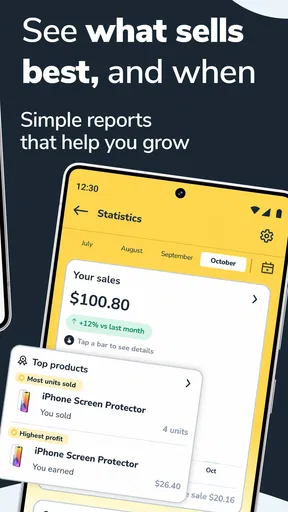
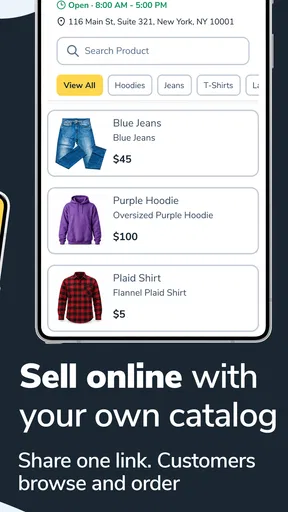
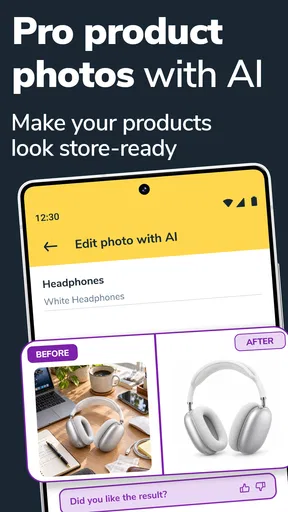

Our Review of Treinta - Gestiona tu negocio
 Analysis by Appyee
I would approach Treinta as a simple place to start organizing the money moving through a small business, rather than as a replacement for a full accounting office. If you sell things or provide services and need a clearer picture of sales, expenses, and unpaid invoices, its basic workflow makes sense. The important first step is to enter activity consistently; an app can only help you spot patterns if you give it useful records.
What to expect when you open it
Treinta is a finance app from developer Treinta, aimed at managing the everyday finances of a small business. It is free to download, though in-app purchases range from $0.99 to $179.91 per item, so I would check the current purchase details before choosing anything paid. The app is rated for Everyone and requires Android 7.0 or later. Its current version is 2.59.2.
The scale of its audience is reassuring without being a substitute for trying it yourself: it has a 4.8 average from around 99,000 ratings and over 5 million installs. I would treat that as a sign that many people have found it useful, not as a promise that every workflow or language setting will suit my business.
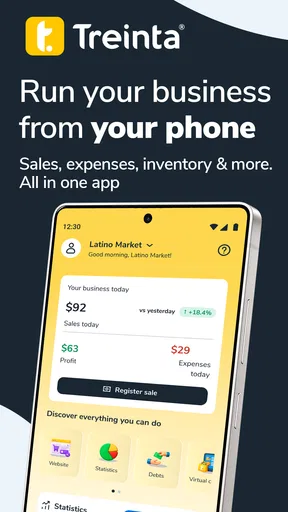
My expectation would be a practical record-keeping tool rather than sophisticated financial analysis. The original appeal is that I can keep sales, expenses, and invoice status together instead of relying on scattered notes. That is especially useful when a business is small enough that the owner is also the person making sales, following up with customers, and trying to remember what needs to be paid.
Getting set up without overcomplicating it
For a first run, I would resist the urge to enter months of old transactions all at once. Start by identifying the few kinds of activity you need to monitor: money received from sales, routine business costs, and invoices customers have not paid yet. Then record new activity as it happens. A short, repeatable habit is more valuable than a perfect-looking account that quickly becomes outdated.
Before logging entries, decide on a consistent way to describe them. If one purchase is recorded as “stock” and another similar one as “supplies,” later review becomes harder. A small shop could use clear labels for inventory, delivery costs, and daily sales; a service provider might separate project income from travel or materials. This is not a special feature claim, just a useful way to get more from the transaction tracking the app offers.
I would also make a deliberate choice about who enters records if more than one person helps run the business. Agree on a simple routine for noting a sale or expense, and decide who checks the list at the end of the day. If everyone records the same activity differently—or nobody owns the task—the dashboard cannot resolve the confusion for you.
Your first useful result
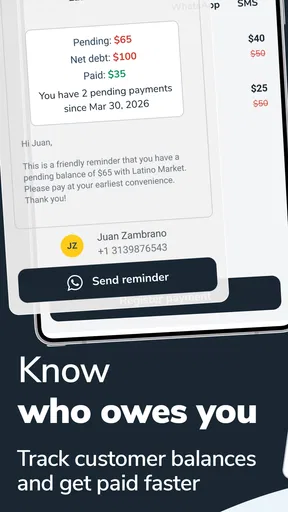
A realistic first win is not a complicated report. It is being able to answer a basic question such as, “What came in today, what did I spend, and which customer still owes me?” I would enter a few current sales and expenses, then create an invoice for a real job that needs billing. When the customer pays, updating its status gives me a clearer view of what is still outstanding.
For example, imagine a person who sells baked goods at a neighborhood market and also takes custom orders. They could record market sales and ingredient purchases, then use invoicing for a larger order that will be paid later. Before buying more ingredients, they can review recent activity and outstanding payments rather than relying only on memory. That will not guarantee a profit, but it makes the decision less guesswork-heavy.
One useful habit is to update records close to the moment money changes hands. Waiting until the weekend means receipts, cash sales, and small purchases can blur together. If the app is part of the routine, enter a transaction after a sale or expense while the details are fresh, then use a regular weekly check to catch anything missed. This is a better fit for a busy owner than expecting the app to reconstruct a week from memory.
Where it fits among finance tools
Compared with a spreadsheet, Treinta offers a more guided way to record day-to-day activity and keep invoice status visible. A spreadsheet can be more flexible if you already know how to build formulas and reports, but it also depends on maintaining your own structure. For someone who finds blank rows and custom templates intimidating, an app organized around common small-business tasks may be easier to keep using.
Compared with full accounting software, the trade-off is depth. The published experience is better suited to straightforward tracking than to detailed analysis; reporting is described as basic. If you need complex financial statements, extensive forecasting, or a workflow shaped around an accountant’s requirements, I would compare dedicated accounting products before committing to this as your only system. Treinta can still be useful for keeping daily records tidy, but simple bookkeeping and formal accounting are not the same job.
A notebook or a basic notes app can be enough for a business with only occasional transactions. The advantage of Treinta is that sales, expenses, and invoices have a more relevant home than a page of unstructured reminders. The disadvantage is that it asks you to learn and maintain another tool. If you rarely need to check cash flow or follow up on billing, the extra routine may not pay off.
Using Treinta in the day-to-day
If you’re someone who’s always looking for ways to streamline your business operations, particularly in the accounting and finance department, then you've probably heard of Treinta. This app promises to be a game-changer for small businesses, and let me tell you, it’s quite a fascinating tool to explore.
What Is Treinta?
In a nutshell, Treinta is an app designed to simplify financial management for small businesses. It’s like having a pocket accountant but way cooler and definitely more affordable! The app offers a variety of features that help keep track of your finances, manage your cash flow, and even handle invoicing. Trust me, once you dive into it, you’ll wonder how you ever managed without it.
Features That Stand Out
First things first, let’s talk about the user interface. It’s sleek, intuitive, and doesn’t require you to be a tech guru to navigate. Everything is laid out in a way that makes sense, which means you won’t spend hours figuring out how to do basic tasks. This is a huge plus for those of us who are not exactly tech-savvy.
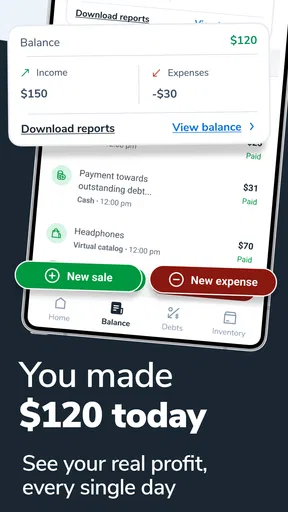
The app allows you to manage your transactions efficiently. You can easily input sales, expenses, and keep an eye on your cash flow. This is especially handy if you’re someone who’s constantly on the move and needs to update your financial records on the fly.
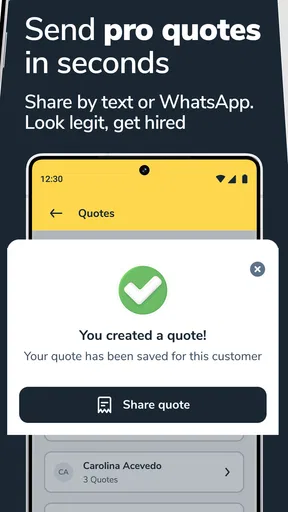
One feature I found particularly useful is the invoicing tool. Gone are the days of manually creating invoices. With Treinta, you can generate professional-looking invoices in a matter of seconds. It even allows you to track which invoices have been paid and which ones are still pending. Talk about making life easier!
Why You Might Love It
If you’re like me and appreciate a good deal, then you’ll love that Treinta is free to use. Yes, you heard that right. You can download it and start managing your finances without spending a dime. It’s perfect for startups and small businesses that are budget-conscious but still want to keep their financials in check.
Another reason to adore this app is its versatility. Whether you’re a sole proprietor or managing a small team, Treinta adapts to your needs. You can customize your dashboard to focus on the metrics that matter most to you. It’s like having a personal financial assistant that knows exactly what you need.
Potential Challenges
Of course, like any app, Treinta isn’t without its quirks. While it excels in many areas, there are a few features that could use some finetuning. For instance, the reporting capabilities are somewhat basic. If you’re looking for in-depth analytical tools, you might find yourself wanting more. However, for most small businesses, the current offering is more than sufficient.
Another thing to note is that while the app is available in multiple languages, some users have reported occasional glitches with language settings. It’s a minor hiccup, but worth mentioning for those who might rely on multilingual interfaces.
The Bottom Line
So, should you download Treinta? In my opinion, absolutely. It’s a robust tool that offers a lot of value, especially for small businesses looking to streamline their accounting processes without breaking the bank. The app is easy to use, has a plethora of features, and doesn’t cost a thing to get started. Plus, the team behind it seems committed to regular updates and improvements, which is always a good sign.
If you’re ready to take your financial management to the next level, give Treinta a try. It might just be the financial partner you didn’t know you needed!
Who should choose it, and who should look elsewhere
I think Treinta is most compelling for a solo seller, a local service provider, or a small team that needs a straightforward record of money in, money out, and invoices awaiting payment. It can also suit someone moving away from loose paper notes who wants one consistent place to capture transactions. For those users, the best measure of success is whether they can keep records current and answer practical questions with less effort.
I would be more cautious if the business has complicated accounting needs, relies on detailed custom reports, or already follows a carefully designed bookkeeping process with an accountant. A familiar spreadsheet or a more advanced accounting platform may be a better fit in those cases. I would also skip it if I knew I would not enter transactions regularly: financial summaries based on incomplete records can create false confidence rather than clarity.
Small decisions that make the workflow more useful
When making an invoice, I would treat the customer, amount, and payment status as information to maintain, not as a task completed once the document is sent. A sent invoice is not cash in hand. Checking pending invoices during a weekly review helps separate expected money from money already received, which matters when deciding whether a planned purchase is affordable.
For expenses, I would record the purpose in language I will recognize later. “Store run” may make sense on the day, but “packaging for custom orders” is more useful when reviewing costs. This small bit of context can reveal recurring spending that a total alone would hide. It also makes it easier to notice an entry that looks out of place before it distorts your sense of cash flow.
Another sensible trade-off is to keep Treinta’s role clear. Use it to organize operating activity, and preserve whatever supporting records your business or tax process requires. An app entry is a useful summary, but I would not assume it replaces original receipts, professional accounting advice, or formal records where those are needed.
Questions worth settling before relying on it
If you are wondering whether you can start without paying, the app is free to download and use, while optional in-app purchases are available. I would begin with the basic workflow and only consider a purchase if I understand exactly what it adds and know it solves a real need. That avoids paying for options before I have established a habit or learned where the free experience falls short.
If you are asking whether it is suitable for a business with more than one person, the app is presented as adaptable to a sole proprietor or a small team. In practice, I would still agree on who enters each transaction and who checks the records. A shared tool does not automatically create a shared process, and duplicate or missing entries can undermine the numbers.
If language matters to your daily work, test the interface you intend to use early rather than waiting until records have piled up. The app supports multiple languages, though occasional language-setting glitches have been reported. If switching languages is essential for you or your staff, confirm that the setup feels dependable for your own routine before making it the only place you track business activity.
Finally, I would ask whether the reporting is enough for the decisions I actually make. If I mainly need to see transaction activity and which invoices remain unpaid, its simpler approach may be adequate. If I need detailed analysis to plan budgets or explain performance to others, I would compare more specialized software instead of expecting a basic report to do a deeper accounting job.
A practical way to decide
My recommendation is to try Treinta with a small, current slice of your business rather than migrating everything immediately. Record new sales and costs for a short period, create an invoice you genuinely need, and see whether checking its payment status becomes easier. If those actions feel clear and you keep up with them, that is a stronger sign of fit than a long list of features.
For a first-time user, the meaningful success is simple: knowing what has been recorded, what remains unpaid, and what needs attention next. Treinta offers a convenient starting point for that kind of everyday financial organization, with the important caveat that its basic reporting and the need for consistent manual habits may not satisfy every business. I would recommend it to owners who want a more orderly routine without jumping straight into heavyweight accounting software, while keeping a more advanced option in mind if their needs grow.
Verdict
Strengths of Treinta - Gestiona tu negocio
- User-friendly interface for quick navigation.
- Seamless integration with multiple platforms.
- Real-time financial tracking and updates.
- Customizable alerts for transactions.
- Secure data encryption for user safety.
Limitations of Treinta - Gestiona tu negocio
- Limited offline functionality.
- Some features require premium subscription.
- Occasional sync delays with bank accounts.
- Customer support response time varies.
- No multi-language support available.
Similar Picks in This Category
View All
Google Wallet
Google LLC4.3

Airtel: Recharge, Bank & Loans
Airtel4.0

PayPal - Pay, Send, Save
PayPal Mobile4.2

DANA Indonesia Digital Wallet
PT Espay Debit Indonesia Koe4.5

Binance: Buy Bitcoin & Crypto
Binance Inc.4.8

Cash App
Block, Inc.4.7
Frequently Asked Questions
What is Treinta and what features does it offer?
Treinta is a versatile financial management app specifically designed for small businesses and entrepreneurs. It offers features such as expense tracking, sales monitoring, and inventory management. Users can also generate detailed financial reports and utilize its intuitive dashboard to gain insights into business performance. The app aims to simplify financial tasks, making it easier for users to focus on growth.
Is Treinta available for both Android and iOS devices?
Yes, Treinta is available for download on both Android and iOS platforms. Users can find it on the Google Play Store for Android devices and the Apple App Store for iOS devices. This allows a wide range of users to access and utilize Treinta's features, regardless of their preferred device.
How secure is my financial data with Treinta?
Treinta places a high emphasis on data security, implementing robust encryption to protect user information. The app regularly updates its security protocols to guard against potential threats. Additionally, Treinta does not share your financial data with third parties without consent, ensuring your business information remains confidential and secure.
Does Treinta offer customer support in case of issues?
Yes, Treinta offers comprehensive customer support to assist users with any issues they might encounter. Support is accessible via email, live chat, or through their in-app help center. The support team is responsive and knowledgeable, striving to resolve queries promptly to ensure a smooth user experience.
Are there any costs associated with using Treinta?
Treinta offers a free version with basic features suitable for small businesses. However, for more advanced functionalities, Treinta provides a premium subscription model. The premium version includes additional features such as enhanced reporting, personalized support, and more extensive data storage options, providing excellent value for growing businesses.
